Camera calibration online, from a video
MOLA cloud · online tool
Record a short video of a calibration pattern with the camera you want to calibrate, upload it, and download the camera's intrinsic parameters: focal length, principal point and lens distortion. There is nothing to install.
Calibrate a camera online See the patterns
Sign in with GitHub or an email address.
- InputVideo (MP4, MOV, MKV, WebM), a ZIP of images, or a ROS 2 bag
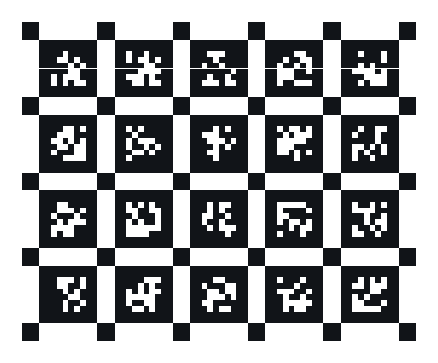
- PatternsCheckerboard, ChArUco, circle grids, AprilGrid, or none
- LensesPinhole with radial-tangential distortion, and fisheye
- OutputROS
camera_info, OpenCV and MRPT YAML files
How it works
- Print a pattern and recordFilm the pattern with the camera to calibrate, moving slowly so it shows up all over the image, near and far, and tilted. One or two minutes of video is usually enough.
- Upload the recordingUploads resume if the connection drops. You can also import a file from S3, Zenodo, Hugging Face or Google Cloud Storage by URL.
- Check the detected patternThe app finds the pattern in a few frames and fills in its type, rows and columns. Check them, choose the lens model, and launch the job.
- Download the calibrationGet the parameter files, the RMS reprojection error and a plot of which parts of the image the pattern covered.
The job looks for the pattern in the whole recording and keeps the 60 most diverse views, so a long video with many similar frames does no harm. Views with an error far above the rest are left out, with a warning. If the error stays high, the job fails and tells you which pattern size the recording seems to show: a wrong number of rows or columns is the most common mistake.
Supported calibration patterns
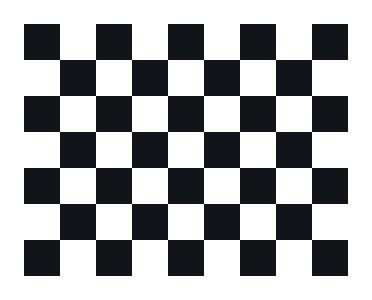
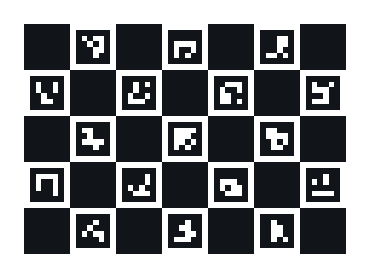
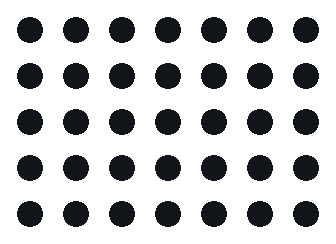
The app has a guide to the calibration patterns with what to count on each one, how to print it and how to record it.
Lens models and output files
Two lens models are available: pinhole with radial-tangential distortion (five coefficients,
plumb_bob in ROS), for most cameras, and fisheye (equidistant, also known as
Kannala-Brandt), for wide-angle lenses.
File |
What it is for |
|---|---|
|
ROS |
OpenCV YAML |
Camera matrix and distortion coefficients for OpenCV ( |
|
MRPT camera model, loaded by |
Report |
RMS reprojection error in pixels, number of views used, and a coverage plot. |
Without a pattern, the results page also shows the reconstructed scene in 3D, with one camera frustum per view and the points in their real colors, so you can see what the calibration is based on.
How accurate is it?
We checked the results against the official calibrations of the EuRoC MAV dataset, and against synthetic images rendered with known parameters:
Test |
Result |
|---|---|
EuRoC checkerboard sequence (752 × 480) |
Focal length about 0.5 % from the official values, in 69 s |
EuRoC AprilGrid sequence |
Focal length about 0.5 % from the official values, principal point within 1 px, RMS error 0.17 px |
Synthetic images, every pattern, pinhole and fisheye |
Focal length within 0.4 % |
No pattern: EuRoC sequence as a 60 s MP4 video |
Focal length within 0.3 %, in 7 minutes |
No pattern: other real recordings |
0.35 % on fisheye lenses; 0.7 % to 3.7 % on pinhole cameras, like COLMAP on the same data |
With a pattern and a good video, the RMS error is usually well below one pixel. Without one, the accuracy depends on how much the camera rotates in the video. When the motion cannot determine the focal length, as with a camera on a robot that only drives on flat ground, the job says so instead of returning a wrong calibration.
Tips for a good calibration video
Lock the focus and the zoom. A camera that refocuses changes its focal length in the middle of the video. On most phones, a long press on the screen locks focus and exposure.
Turn off video stabilization, unless your application uses stabilized video too: it crops and warps every frame.
Record at the resolution you will use. The parameters are in pixels of that resolution.
Cover the whole image, corners included. Lens distortion is strongest near the borders.
Tilt the pattern, up to about 45 degrees, and change the distance. Views that all face the camera straight on leave the focal length poorly determined.
Move slowly in good light. Blurred frames are rejected.
Keep the pattern flat: glue the print to a rigid board, or show it on a flat monitor.
Without a pattern, turn the camera about all three axes (pan, tilt and roll) in a static scene with texture at several depths. Walking straight ahead is not enough.
Frequently asked questions
- Do I need to install anything?
No. You only need a web browser and an account.
- What do I count on a checkerboard?
The inner corners, where four squares meet. A board of 9 × 7 squares has 8 × 6 inner corners. The app detects the size and fills it in; check it before you launch the job.
- Does the size of the squares matter?
Enter it as printed. The focal length, principal point and distortion are in pixels and do not depend on it, so a small error in the measured size does not change them.
- Can I calibrate a fisheye or wide-angle lens?
Yes. Choose the fisheye model, which handles fields of view that the pinhole model cannot.
- Can I use a ROS bag instead of a video?
Yes, a ROS 2 bag (
.mcap, or a zipped.db3folder) with an image topic. ROS 1 bags are not supported yet for this job.- Where is my data processed?
On our server in Spain (EU). Each job runs in an isolated container with no network access.
- How do I use the result with my LiDAR?
Run a LiDAR-camera calibration next: it takes the result of this job as the camera’s intrinsics.
Calibrate your camera now
Upload a video from your phone or your robot. It takes a few minutes.